
How AI Headshot Generators Turn Selfies into Professional Portraits
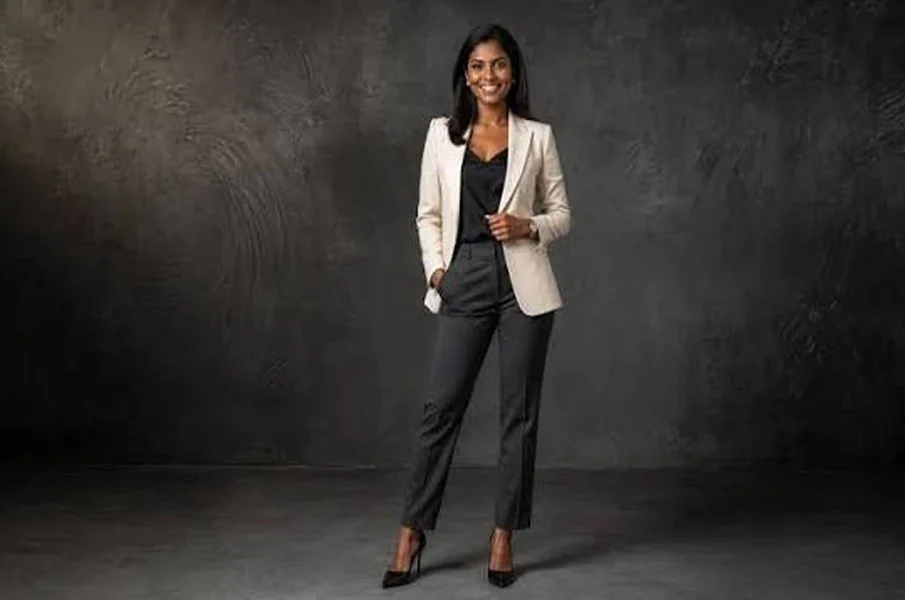
A professional photograph plays an important role in creating a strong first impression. Whether it is used for a LinkedIn profile, company website, online portfolio, or business presentation, a good headshot helps people present themselves confidently. However, arranging a professional photoshoot can take time and money. AI headshot generators offer an alternative by transforming ordinary selfies into polished portraits using artificial intelligence.
With so many options now available online, finding the right platform makes all the difference in getting realistic results rather than overly edited avatars. For readers looking to compare features, pricing, and image realism across top-performing tools, exploring a curated resource like the Best AI Headshot Generator on Strikingly can help clarify what to expect before uploading personal photos. Understanding how these platforms work behind the scenes also makes it easier to choose a service that delivers natural, trustworthy portraits.
Uploading Photos to the AI Platform
The process usually begins with uploading a selection of personal photographs. Most AI headshot tools request several clear images taken from different angles and under different lighting conditions.
These photographs provide the system with information about facial features, skin tone, hairstyle, and other visible details. Clear images with minimal filters generally help the software produce more consistent results.
Analysing Facial Features
After receiving the images, the AI system examines the person’s facial structure and distinctive characteristics. It identifies details such as eye placement, facial shape, nose structure, and skin appearance.
Using machine learning techniques, the software learns how these features fit together. This information helps it create new portraits that resemble the person in the uploaded photographs.
Creating Professional Backgrounds and Outfits
One of the main advantages of AI headshot generators is their ability to change the overall presentation of a photograph. Users can often select different professional styles, backgrounds, and clothing options.
For example, a casual selfie can be transformed into a portrait featuring formal business clothing and a neutral office background. Some platforms also offer studio-style lighting, corporate settings and different framing options.
These features make it possible to create photographs suited to different professional requirements without arranging several photoshoots.
Improving Lighting and Image Quality
Lighting has a major influence on how a portrait looks. Poor indoor lighting, harsh shadows, or uneven brightness can affect the quality of ordinary selfies.
AI tools can adjust brightness, contrast, shadows, and other visual elements to create a more balanced appearance. They may also improve image sharpness and refine the background.
However, the final result should still look natural. Excessive editing can change facial details and make the photograph appear artificial.
Selecting and Downloading the Final Portrait
Once the AI generates the images, users can review the available options and select the ones that best represent their professional image. Some platforms allow further adjustments to clothing, background, and overall appearance.
Before downloading, check whether the facial features look accurate and whether the photograph meets the size and resolution requirements of the intended platform.
Understanding Privacy and Accuracy
Before uploading personal photographs, review the platform’s privacy policy. Check how images are stored, processed, and deleted. Avoid using services that provide unclear information about handling personal data.
AI-generated portraits should also represent your actual appearance. A heavily altered image may create unrealistic expectations during professional meetings or interviews.


